
Case Study
Maria Panina — Exhibition Website
A rapid WooCommerce exhibition website that connects gallery artwork labels, SKUs, QR codes, mobile artwork pages, availability, and online purchasing.
Project Snapshot
Overview
What the project needed to make clear.
Maria Panina already had a minimalist Squarespace portfolio designed to present her long-term body of work. Her gallery exhibition needed a different kind of website. It had to launch quickly, remain separate from the main portfolio, and function as a live catalog where visitors could identify, understand, save, and purchase individual works.
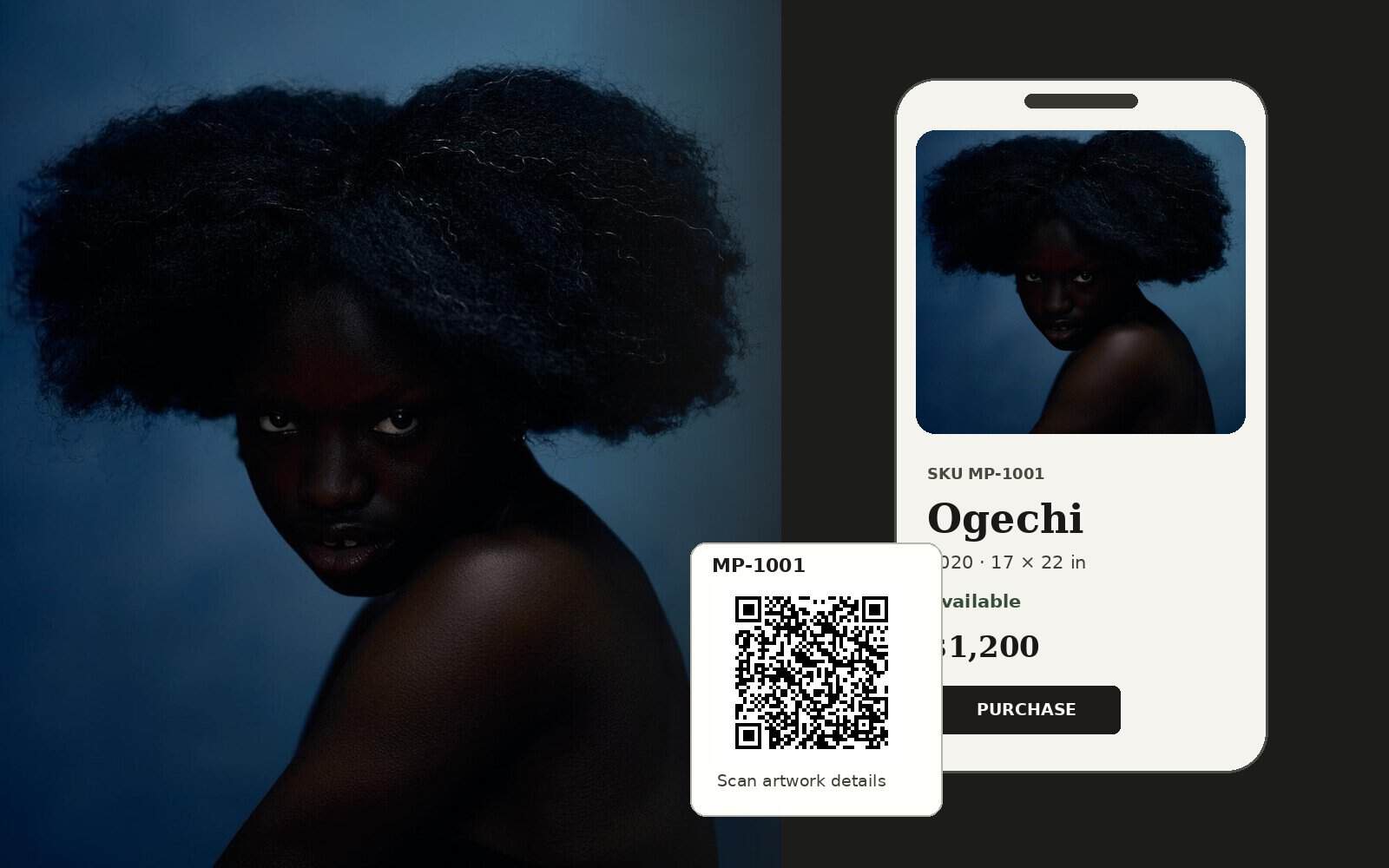
FultonStudio built a dedicated WordPress and WooCommerce exhibition site around the way people move through a physical show. Each artwork was organized with its own SKU, title, year, series context, medium, size, availability, price, and purchase path. Gallery labels can use both a readable SKU and a QR code, giving visitors a direct route from the artwork on the wall to its complete mobile page.
The result is not simply a second artist portfolio. It is a focused exhibition-commerce system that supports the show without forcing sales, inventory, and event content into Maria’s quieter permanent portfolio site.
Challenge
Maria already had a clean Squarespace portfolio, but an exhibition has different requirements from a permanent artist website. The show needed a separate site on a short schedule, with individual artwork records, prices, availability, mobile access inside the gallery, and a direct way to purchase without turning the main portfolio into a store.
Strategy
FultonStudio treated the project as a temporary exhibition platform with a reusable inventory system behind it. The site was designed around the visitor journey: find a work in the gallery, scan its QR code or enter the printed SKU, open the matching artwork page, read the description and series context, confirm size and availability, and move into the WooCommerce purchase path.
Result
The finished site gives the exhibition its own focused digital home and turns each wall label into an access point. Visitors can identify a work without searching through a general portfolio, open its full description on their phone, confirm its status and price, and purchase available work online. Maria also leaves the show with a structured artwork catalog that can be reused for future exhibitions instead of rebuilding the sales process from scratch.
Work Completed
What FultonStudio changed.
Rapid website planning and website and CMS development, WooCommerce configuration, artwork catalog structure, custom artwork URLs, SKU lookup, QR-code linking, mobile-first artwork pages, series organization, collection browsing, pricing and availability fields, cart and purchase flow, artwork-label planning, journal support, image presentation, and a separate exhibition identity that does not disturb the artist’s permanent Squarespace portfolio.
Project Images
Before, after, and supporting visuals.
A tighter image grid keeps the page clean. Captions open inside the lightbox instead of crowding the thumbnail layout.
More Case Studies
Keep looking through the work.
Return to the full case study archive or move through another project example.
View All Case StudiesApply This Thinking
Want the same kind of clarity on your website?
Start with a website audit if you want a first read, or send a service request when you are ready to talk through the project.
1. Review
I am not sure what is wrong.
Start with a quick review of your current site. It can show whether you need cleanup, care, or a deeper rebuild.
Start Website Audit2. Request
I already know what I need.
Send the website URL, what feels wrong, timing, and any notes you already have. FultonStudio can reply with a clearer first read.
Send Service Request