
Case Study
CRM & Production Workflow
A custom CRM and production control panel built around FultonStudio’s real lead, quote, payment, scheduling, content, and production workflow.
Project Snapshot
Overview
What the project needed to make clear.
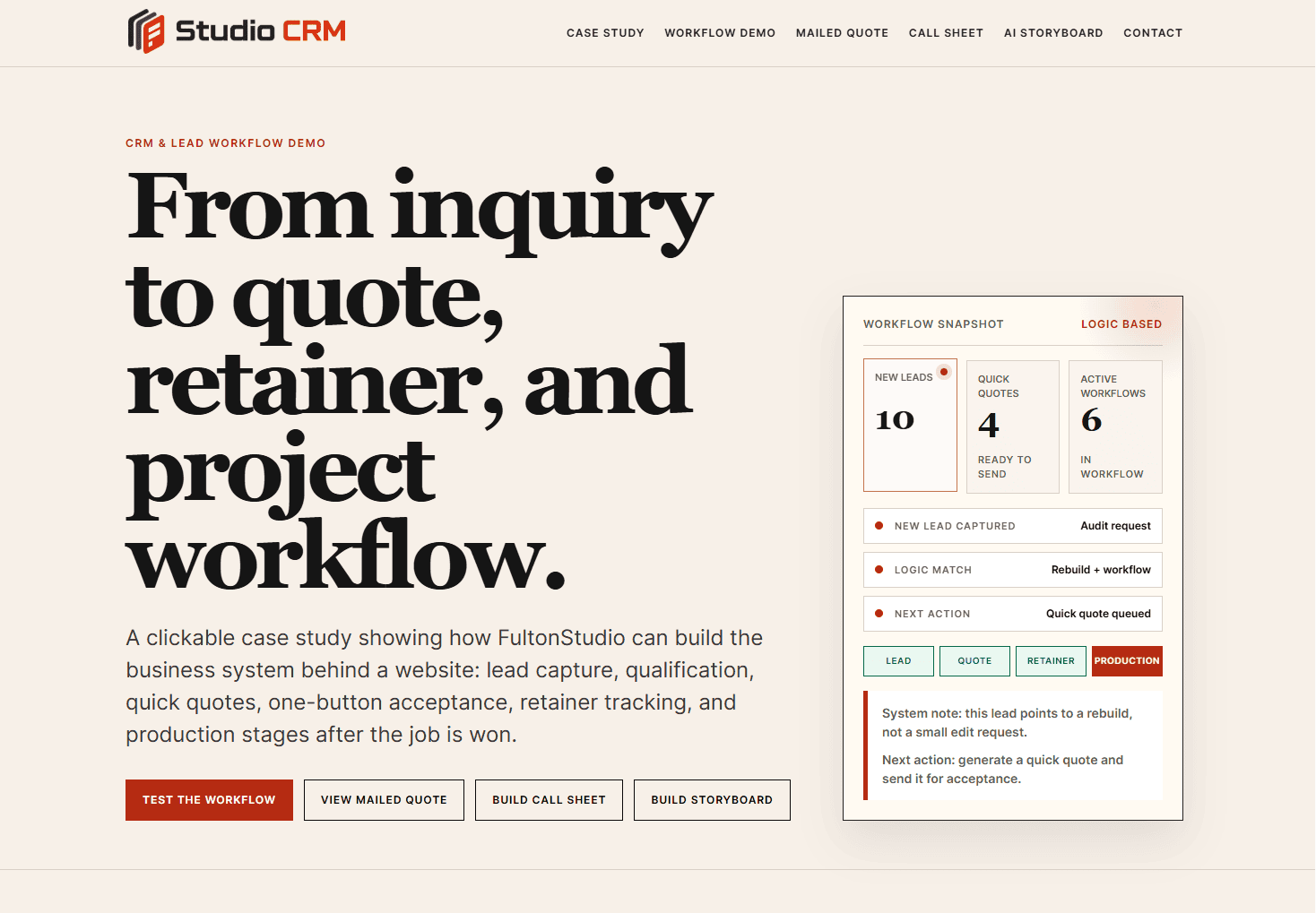
This case study follows FultonStudio’s internal CRM and production workflow system: a custom control panel being built around the way the studio actually works. The public demo shows the idea with sample data, while the real system stays private and secured.
Why the system was built
FultonStudio was starting to outgrow scattered tools. Leads could come from the website, a direct email, a LinkedIn message, a public opportunity on Reddit, a phone call, or a support request. Notes, pricing, follow-up steps, production details, images, and client files could easily end up spread across too many places.
The goal was not to create a bloated all-in-one program. The goal was to build a modular system that keeps the important business data in one place, uses established APIs where they make sense, and supports a human sales and production process.
What the workflow does
A new opportunity can be logged as a lead, reviewed, scored, and upgraded to a prospect. From there, the system can help prepare a quote using preset service data, business logic, and AI support when needed. The quote can still be reviewed and edited by hand before it is sent.
When a prospect accepts a quote, the workflow can move them toward retainer payment, upgrade the prospect to a client, and open the production area. If a prospect declines, the system starts a different path: save the sale, ask better follow-up questions, and prepare a revised offer when appropriate.
How it supports production
The production side is designed to hold client notes, website or branding tasks, images, design references, timelines, and project stages. When photography or video is needed, the same system can support storyboards, shot planning, call-sheet preparation, and team coordination.
Why it matters to clients
This system shows how FultonStudio thinks beyond the surface of a website. A business website can be more than pages and forms. It can connect inquiries, follow-ups, quotes, payments, content, production planning, and support into a cleaner business workflow.
The public demo is intentionally limited and uses fake data only. It shows the structure and thinking without exposing the real CRM, private client records, API keys, internal prompts, or secure production data.
Challenge
FultonStudio needed one place to organize website inquiries, social leads, audit submissions, quotes, retainers, production notes, images, scheduling, and follow-up. Off-the-shelf tools could handle pieces of the workflow, but they also created scattered data, extra plugins, and too many disconnected steps.
Strategy
The strategy was to build a modular private CRM around the studio workflow instead of forcing the workflow into a generic platform. The system uses a central database, controlled security gates, established APIs for calendars, payments, VOIP/text messaging, and AI support, and clear human review points before anything important is sent to a prospect or client.
Result
A custom CRM direction that matches how FultonStudio sells, quotes, produces, and supports work. The system reduces scattered tools, keeps project data together, and shows clients that FultonStudio can build practical business systems behind the website, not just public-facing pages. The public demo lives at democrm.fultonstudio.com and uses safe sample data only.
Work Completed
What FultonStudio changed.
Lead capture planning, database structure, lead-to-prospect workflow, quote logic, AI-assisted brief and offer support, email/text follow-up paths, retainer/payment handoff, client production stages, schedule planning, note and image organization, storyboard and call-sheet planning, and public demo presentation with sample data only.
Project Images
Before, after, and supporting visuals.
A tighter image grid keeps the page clean. Captions open inside the lightbox instead of crowding the thumbnail layout.
More Case Studies
Keep looking through the work.
Return to the full case study archive or move through another project example.
View All Case StudiesApply This Thinking
Want the same kind of clarity on your website?
Start with a website audit if you want a first read, or send a service request when you are ready to talk through the project.
1. Review
I am not sure what is wrong.
Start with a quick review of your current site. It can show whether you need cleanup, care, or a deeper rebuild.
Start Website Audit2. Request
I already know what I need.
Send the website URL, what feels wrong, timing, and any notes you already have. FultonStudio can reply with a clearer first read.
Send Service Request